DOABLE · HOME & GARDEN
See your room before you spend
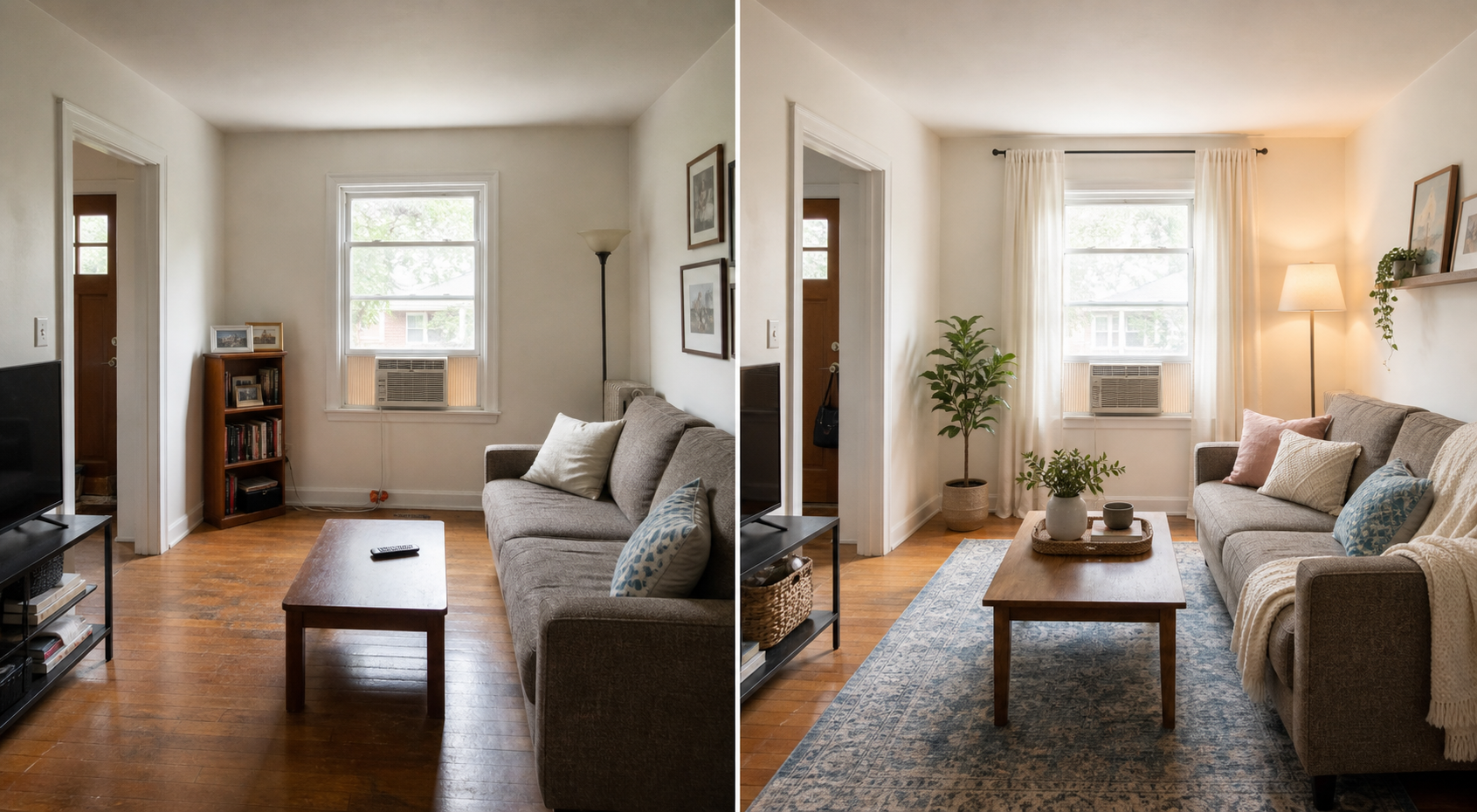
Use one ordinary room photo to explore a realistic refresh, then turn the direction you like into a budget-aware plan.
THE REAL-LIFE PROBLEM
What this guide helps you do
Inspiration photographs do not show whether a room idea will fit your actual space, existing furniture, or budget.
WHEN THIS HELPS
Use it when you have a clear room photograph and want to test one realistic direction before moving furniture or buying anything.
WHEN TO SKIP IT
Skip it when accurate measurements, structural changes, electrical work, accessibility, or safety require a qualified professional.
THE WHOLE PROCESS AT A GLANCE
Four small steps, in one conversation.
- 1Add one room photoShow the walls, windows, doors, and main furniture.
- 2Answer five questionsTell AI what stays, how the room works, your style, and budget.
- 3Check the visualMake sure it kept the room's real structure and scale.
- 4Build the budget planReuse first, then research only the purchases worth considering.
Take a photo the tool can understand
- Show the room edgesStand far enough back to include the major walls, doors, windows, and furniture.
- Use ordinary daylightBright, even light makes the existing colors and fixed features easier to read.
- Add measurements when fit mattersProvide the wall, rug, doorway, and large-furniture dimensions you know. The photo is not a measured floor plan.
Let AI interview you before it designs
This one prompt keeps the visual direction and the later budget plan in the same conversation.
ONE MAIN ROOM-REFRESH PROMPT
Create the direction, then make it doable
CONTEXT
I want to explore a realistic refresh for the room in this photo. My total budget is [budget], and I want the result to work with the room and furniture I actually have.

ROLE
Act as a practical room-planning partner. Keep the room's actual walls, windows, doors, flooring, ceiling height, and other fixed features unchanged.

INTERVIEW
Before creating anything, ask me up to 5 questions, one at a time, about how I use the room, what must stay, dimensions I know, the style I like, and my budget. Summarize my answers and wait for confirmation.

TASK
After I confirm:
1. Create one visual direction without inventing extra space or altering the architecture.
2. Explain the layout, color palette, lighting, and decor choices.
3. Clearly label any size, fit, condition, or structural detail you could not verify from the photo.
4. Wait for me to approve the direction before suggesting purchases.
5. Then create one budget plan with Keep and Reuse, Move or Restyle, Buy First, and Optional Later.
6. For each purchase, give the item type, required dimensions, target price, color or material, and useful search terms.

Do not invent a product, price, review, or link. I will verify dimensions, final price, stock, seller, delivery, returns, and safety on the retailer's page before buying.
Image tools can change a window, doorway, wall, ceiling height, or furniture scale by accident. Compare the concept with the original photograph and reject any version that changes the room you actually have.
WHAT AI CAN DO
Ask questions, create a visual direction, suggest a layout, organize a color palette, and prepare a shopping brief.
WHAT YOU DECIDE
What stays, what feels right, what fits, what is worth buying, and whether professional advice is needed.
BEFORE YOU ACT
Before you buy anything
- Measure the actual space and compare it with the product dimensions.
- Open the retailer's page and confirm the final price, stock, seller, delivery charges, and return terms.
- Check fabric, finish, bulb, weight, assembly, safety, and care information that matters in your home.
- Keep structural, electrical, fire-safety, accessibility, and load-bearing decisions with the appropriate professional.